Codes
Community-reported codes
Codes are grouped by verification status. Unknown means reported by sources but not tested in-game by this site.
| Code | Reward | Status | Last tested | Verification | Copy |
|---|---|---|---|---|---|
| Ticket | 3 Capture Contest Tickets | Unknown | Unknown — awaiting in-game verification. | Community Reported | |
| SeasonReward | 3 Season Spins | Unknown | Unknown — awaiting in-game verification. | Community Reported | |
| ShadowClaw | 2 Bloodline Rerolls | Unknown | Unknown — awaiting in-game verification. | Community Reported | |
| SkillRefund | Skill refund / Reverie Fruit reward reported by community trackers | Unknown | Unknown — awaiting in-game verification. | Community Reported | |
| 10000CCU | 1 Miracle Birth Fruit | Unknown | Unknown — awaiting in-game verification. | Community Reported | |
| NewTrait | 1 Miracle Birth Fruit | Unknown | Unknown — awaiting in-game verification. | Community Reported | |
| NewMutation | 1 Gorgeous Fruit | Unknown | Unknown — awaiting in-game verification. | Community Reported | |
| Mega | 1 Solitude Crystal | Unknown | Unknown — awaiting in-game verification. | Community Reported | |
| BonVoyage | 1 Bloodline Reroll | Unknown | Unknown — awaiting in-game verification. | Community Reported |
Ticket
3 Capture Contest Tickets
SeasonReward
3 Season Spins
ShadowClaw
2 Bloodline Rerolls
SkillRefund
Skill refund / Reverie Fruit reward reported by community trackers
10000CCU
1 Miracle Birth Fruit
NewTrait
1 Miracle Birth Fruit
NewMutation
1 Gorgeous Fruit
Mega
1 Solitude Crystal
BonVoyage
1 Bloodline Reroll
How to redeem
- 1Open the game
- 2Open the Codes menu
- 3Enter the code
- 4Redeem the reward
Status policy
Unknown codes are not copied as active because this site has not tested them in-game. Use the row copy button for manual checks.
Quick answer
The current reported code set includes Ticket, SeasonReward, ShadowClaw, SkillRefund, 10000CCU, NewTrait, NewMutation, Mega, and BonVoyage. Copy one code at a time from the table.
- Ticket - reported 3 Capture Contest Tickets.
- SeasonReward - reported 3 Season Spins.
- ShadowClaw - reported 2 Bloodline Rerolls.
- Mega - reported Solitude Crystal for Mega preparation.
How to redeem Blox Monsters codes
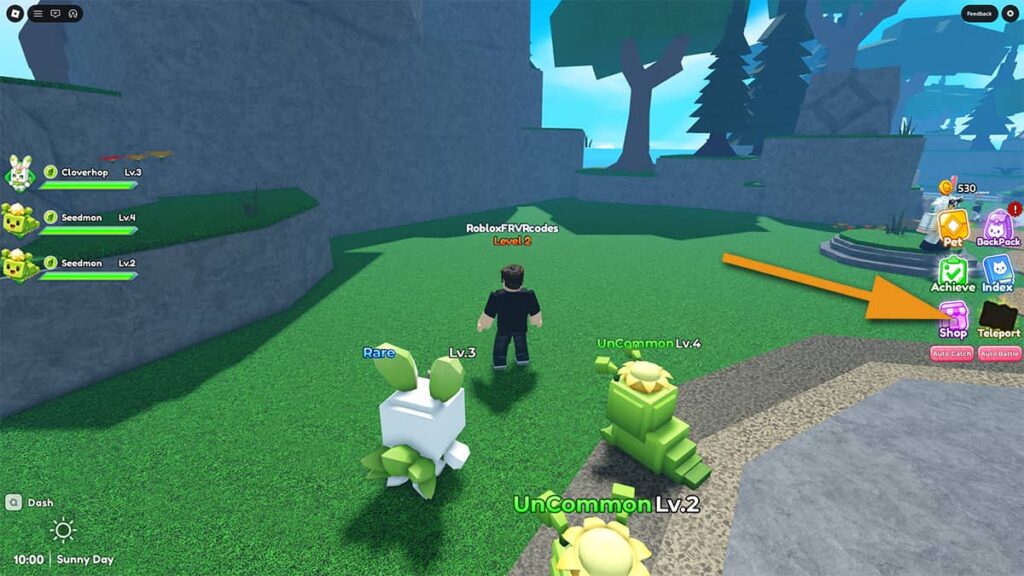
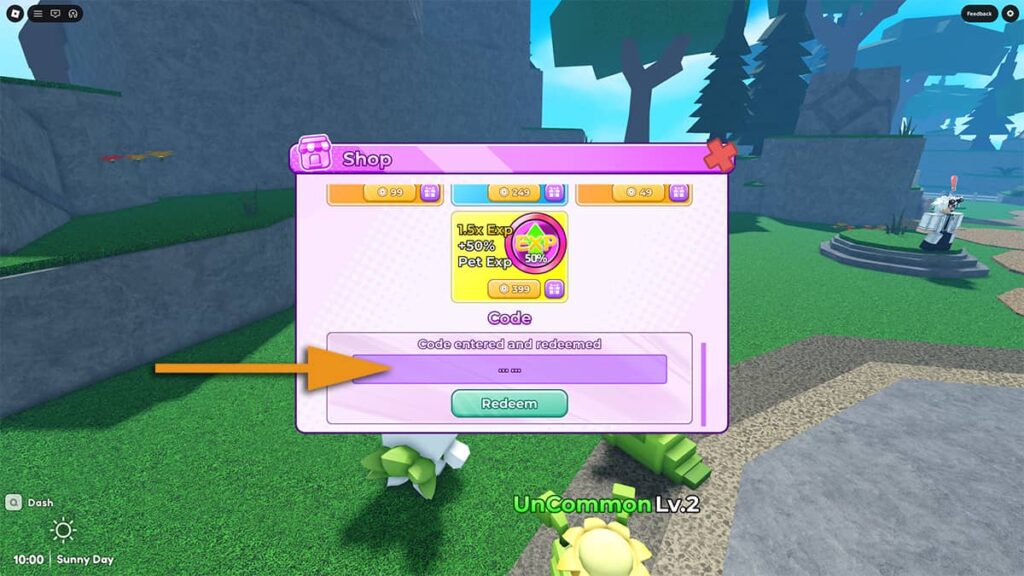
Launch Blox Monsters on Roblox, open the Shop panel, scroll to the Code field, paste a code, and press Redeem. Some sources report that Roblox notifications may need to be enabled before redemption works.
- Open the Roblox game page.
- Launch the experience.
- Open Shop.
- Paste one code.
- Press Redeem.
Reward planning
Treat free rewards as setup items, not permission to spend immediately. Bloodline Rerolls are strongest after Level 7 opens the second free Bloodline slot, Trait and Mutation fruits are best saved for proven monsters, and Mega-related crystals should wait until Flora Hair or Snow Loom has a keeper roll.
Why a code may fail
A code can expire without warning, be mistyped, require a fresh server, or be available only after a tutorial or notification gate. If a code fails, rejoin and test one code at a time. If a reward label differs between community trackers, trust the in-game reward popup over any guide text.